
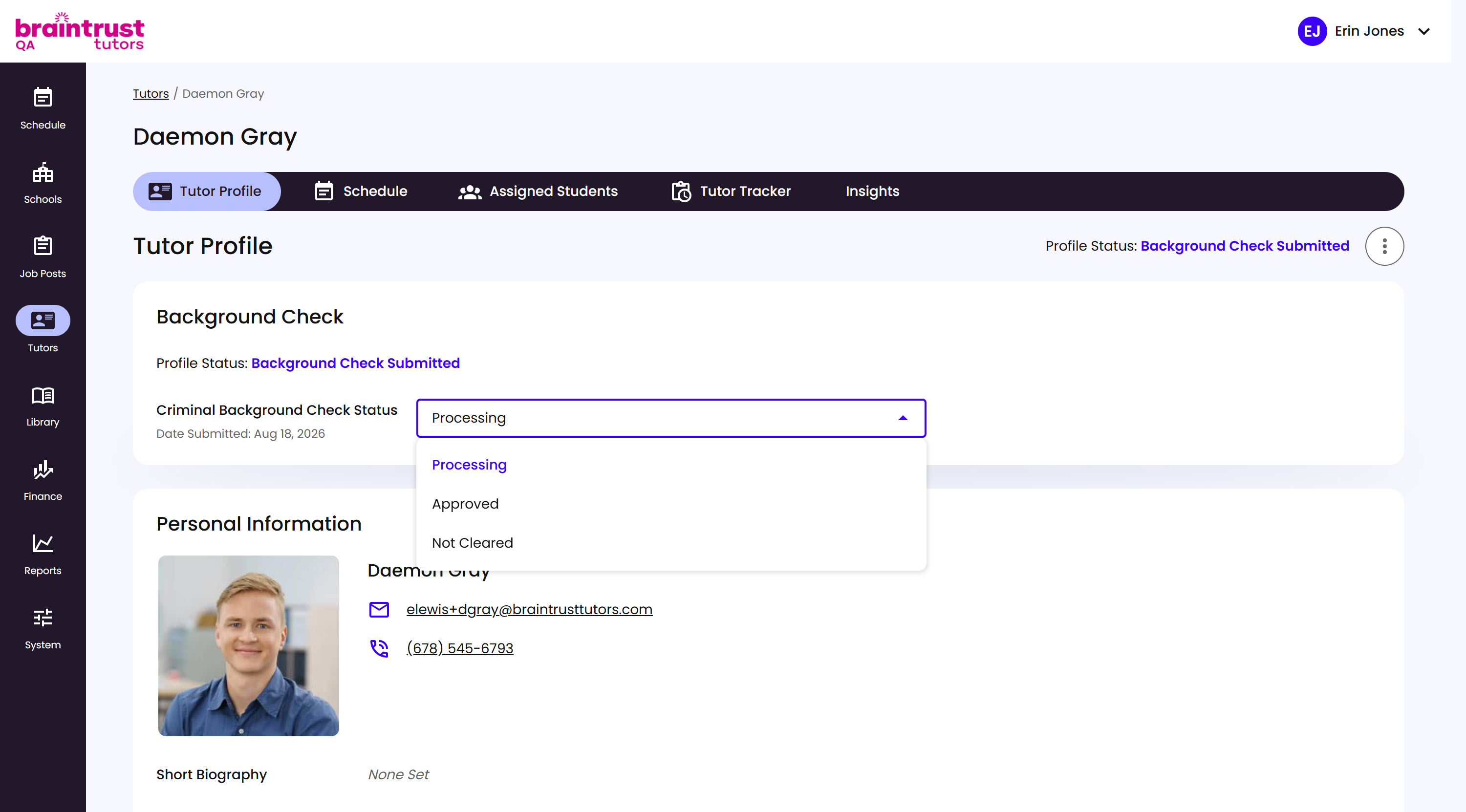
You review the background check and set its status using the Criminal Background Check Status dropdown. If it comes back clean, set it to Approved. If it comes back with concerns, review the details to understand why before setting it to Not Cleared. If it’s still Processing and nothing’s changed, there’s nothing to do yet - check back later.
What’s on This Screen
- Profile Status, next to the tabs and again at the top of the Background Check section. Reads “Background Check Submitted” while it’s waiting on you.
- Background Check section, on the Tutor Profile page, showing the Criminal Background Check Status and its submission date.
- Criminal Background Check Status dropdown, where you set the final status: Processing, Approved, or Not Cleared.