
If you added a Q&A section when creating the Job Post, it becomes part of the application itself, keeping the information you need, like group preferences or schedule fit, inside the platform instead of a separate form.
What the Tutor Sees
Tutors answer the Q&A as part of applying, under Additional Questions. Each option shows as a checkbox, but only one answer can be selected per question. Their answers show up right alongside the rest of their application, so you review them without ever leaving the page.
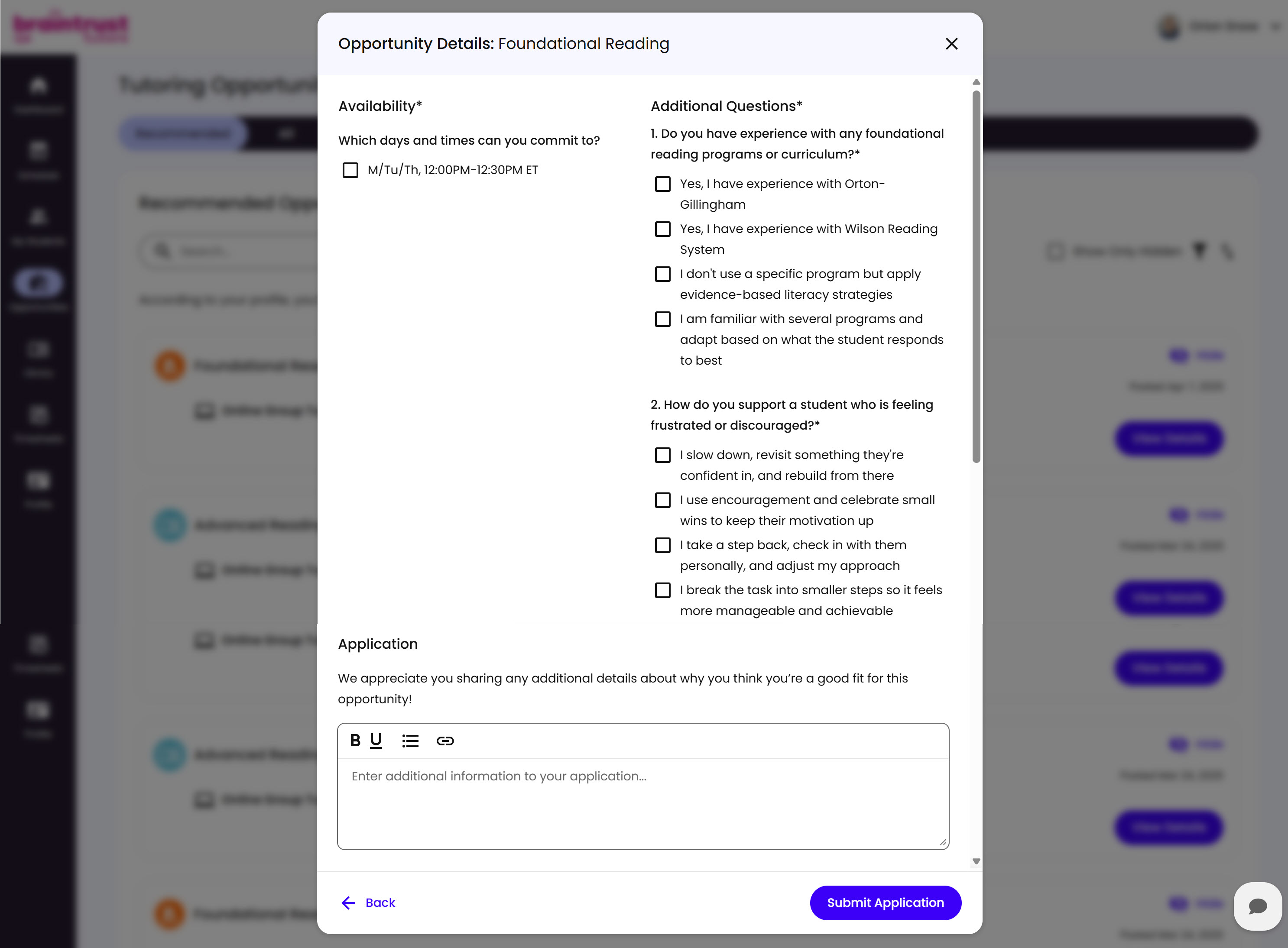
What’s on This Screen
- Availability, a checkbox for each day/time option from the Job Post. The Tutor checks whichever ones work for their schedule.
- Additional Questions, the Q&A questions you’ve set up. Each answer choice shows as a checkbox, but only one can be selected per question.
- Application, a free-text field, with basic formatting tools, where the Tutor explains why they’re a good fit.
- Back and Submit Application buttons, to return to the Opportunity Details or submit.
Before the application actually goes through, the Tutor has to acknowledge they’ll be working as an independent contractor, not an employee.
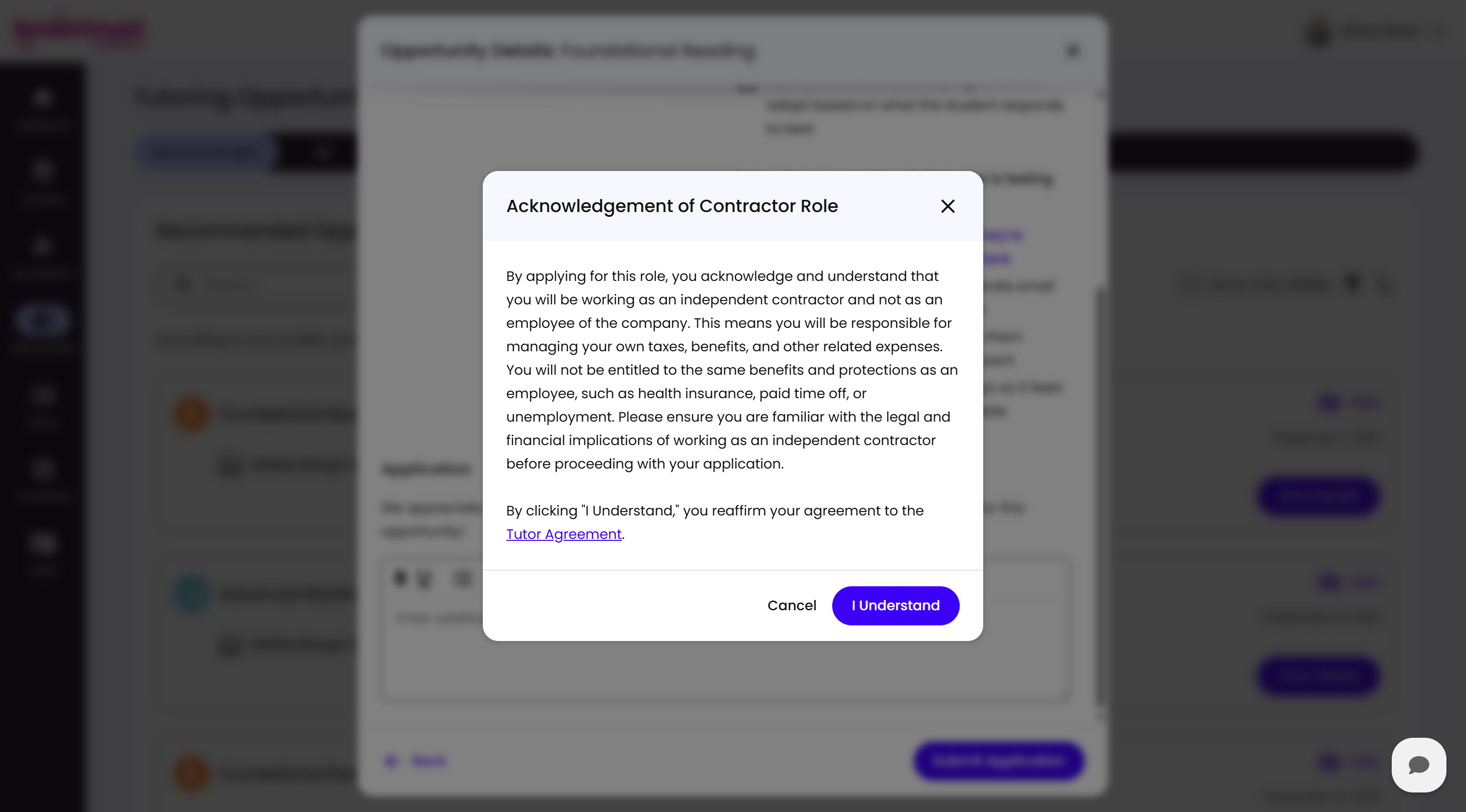
What’s on This Screen
- Explanation text, covering what independent contractor status means: the Tutor manages their own taxes and benefits, and isn’t entitled to employee benefits like health insurance, paid time off, or unemployment.
- Tutor Agreement link, which clicking “I Understand” reaffirms the Tutor’s agreement to.
- Cancel and I Understand buttons, to back out or confirm.
Once they click I Understand, their application submits and sits with everyone else’s until you make a decision. See Reviewing Applications for what happens once it comes in.