
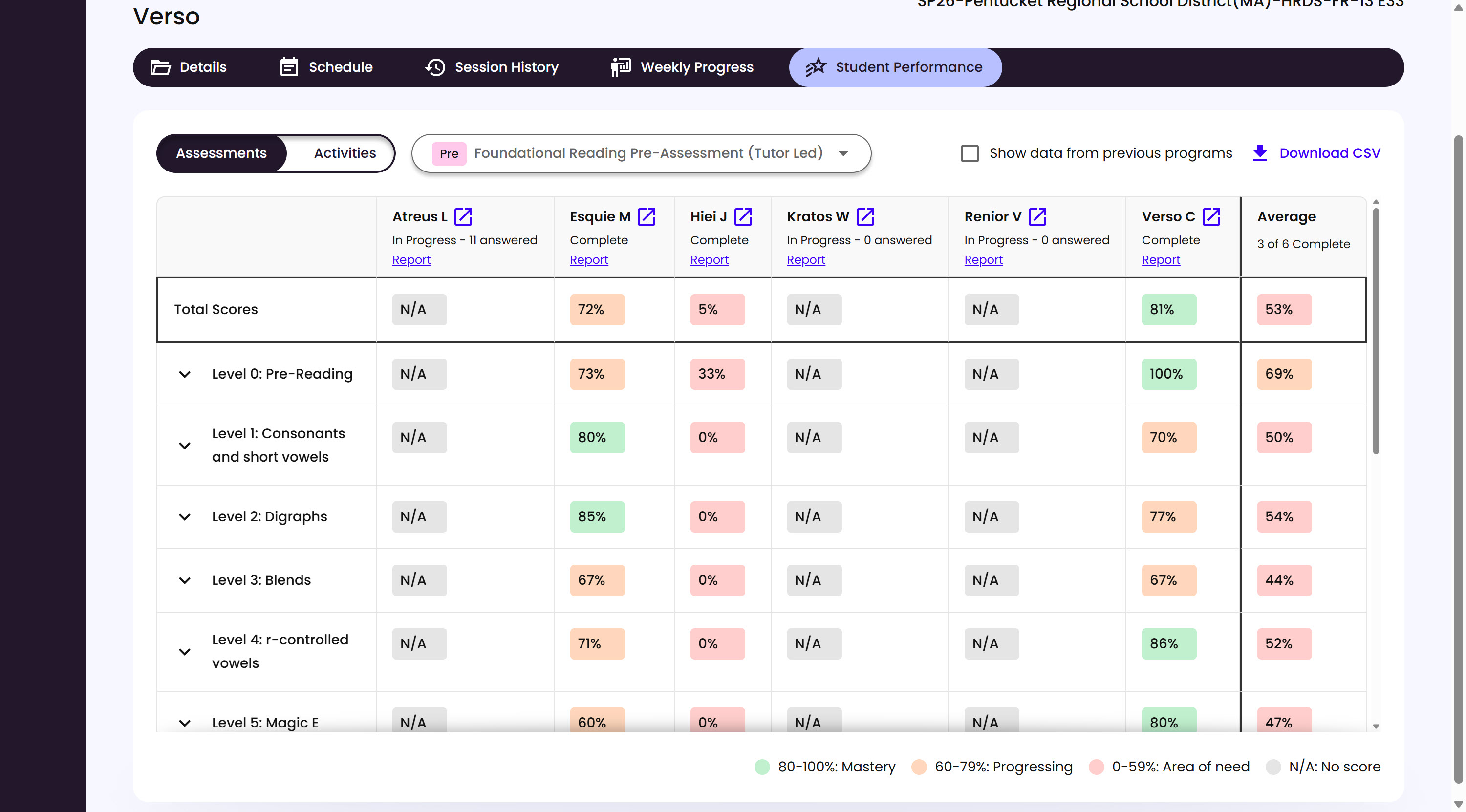
A Group’s Student Performance tab breaks down assessment results Student by Student, and skill by skill.
What’s on This Screen
- Assessments and Activities toggle, at the top left.
- Assessment dropdown, for switching between the Group’s different assessments, like a Pre- or Post-Assessment.
- Show data from previous programs, a checkbox for including a Student’s history from an earlier Program.
- Download CSV, exports the table.
- Total Scores row, each Student’s overall score, color-coded, plus the Group’s Average in the last column.
- Skill level rows, expandable for a more detailed breakdown within that level.
- Report link, under each Student’s name, to their own Growth Report.