
A Group’s Weekly Progress tab is where the Tutor submits a weekly report on the Group, and where you review it.
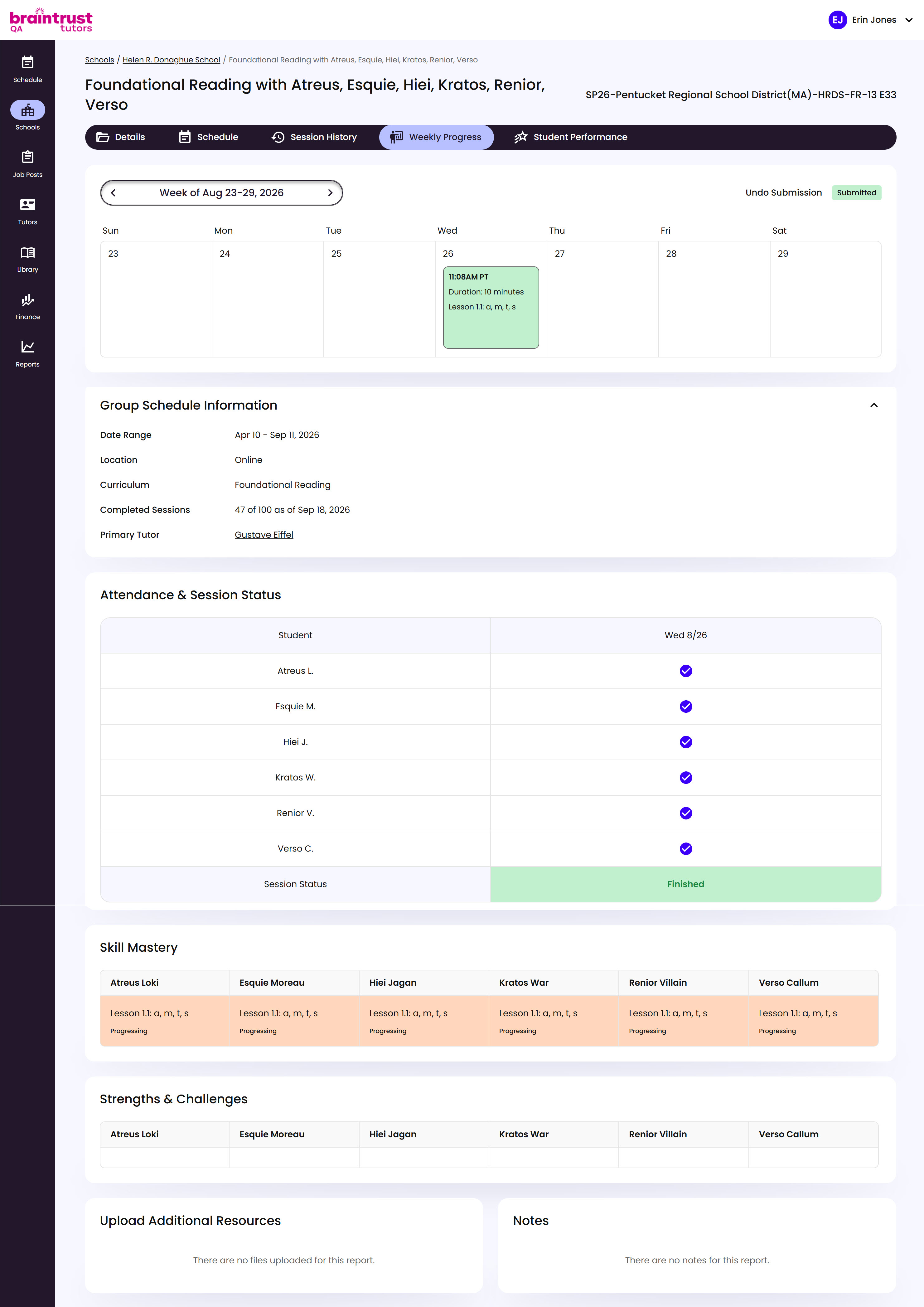
What’s on This Screen
- Week switcher, at the top, for moving between weeks. A Submitted badge shows once the Tutor’s turned in that week’s report.
- Group Schedule Information, the Group’s Date Range, Location, Curriculum, Completed Sessions, and Primary Tutor.
- Attendance & Session Status, each Student’s attendance for the week, and whether the session itself is Finished.
- Skill Mastery, the lesson each Student is on and their progress, like Progressing.
- Strengths & Challenges, the Tutor’s own notes on each Student, when they’ve added any.
- Upload Additional Resources and Notes, for anything else the Tutor attached to the report.