
A Group’s own page opens to its Details tab, starting with Where to Start: the platform’s own lesson recommendations for the Group, based on assessment results.
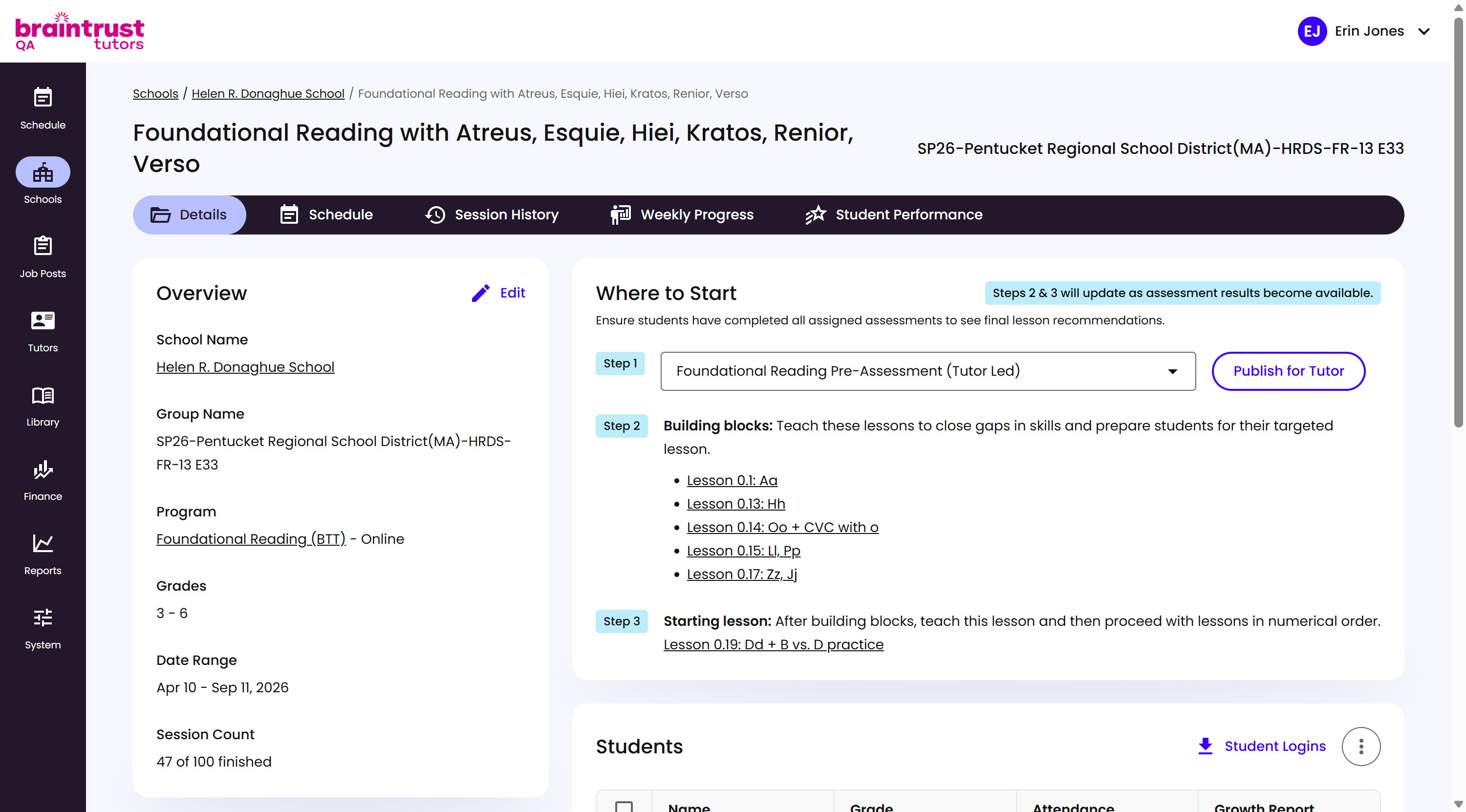
What’s on This Screen
- Step 1, the Group’s Pre-Assessment. It’s assigned automatically once the Group reaches its Pre-Assessment phase, and Tutors see it right away with no manual step needed. Each Assessment has its own minimum and maximum grade range, so which one gets assigned depends on the Grades of the Students in the Group.
- Step 2: Building Blocks, lessons that close skill gaps before the Group’s targeted lesson.
- Step 3: Starting Lesson, where to begin once Building Blocks are done, then continuing in numerical order.