
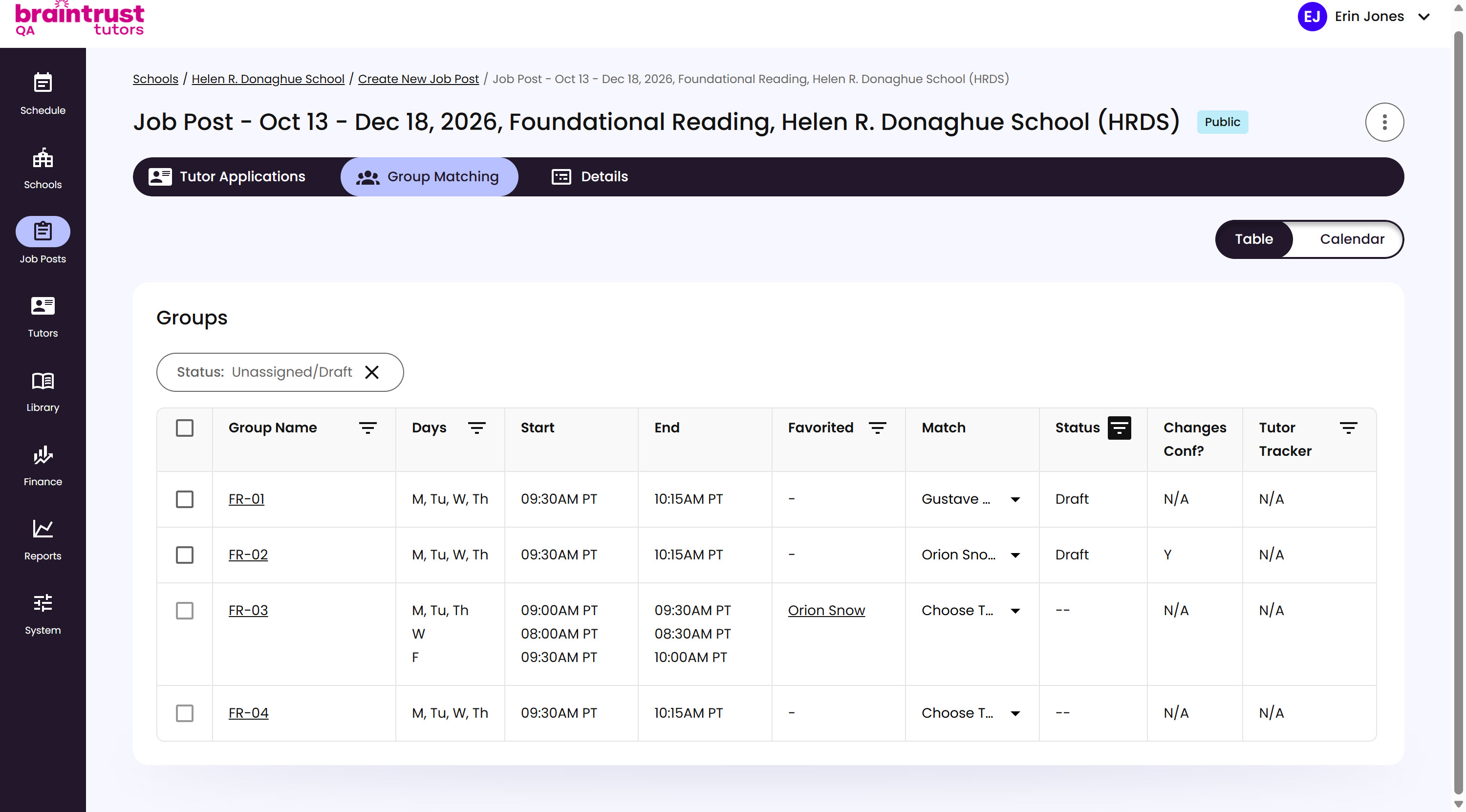
The Favorited column surfaces your best candidate automatically. A Tutor’s name shows up there only if you favorited their application on the Job Post and their availability overlaps the Group’s scheduled sessions - partial overlap counts, so a Tutor doesn’t need to match every single session slot to qualify.
What’s on This Screen
- Favorited column, showing the Tutor’s name, linked to their application, when one qualifies. A Group with no qualifying candidate shows a dash instead.
If a Group has a Favorited candidate, clicking Match shows a quick dropdown of just that candidate (or candidates) for fast selection. See Matching a Tutor next for picking anyone else instead.