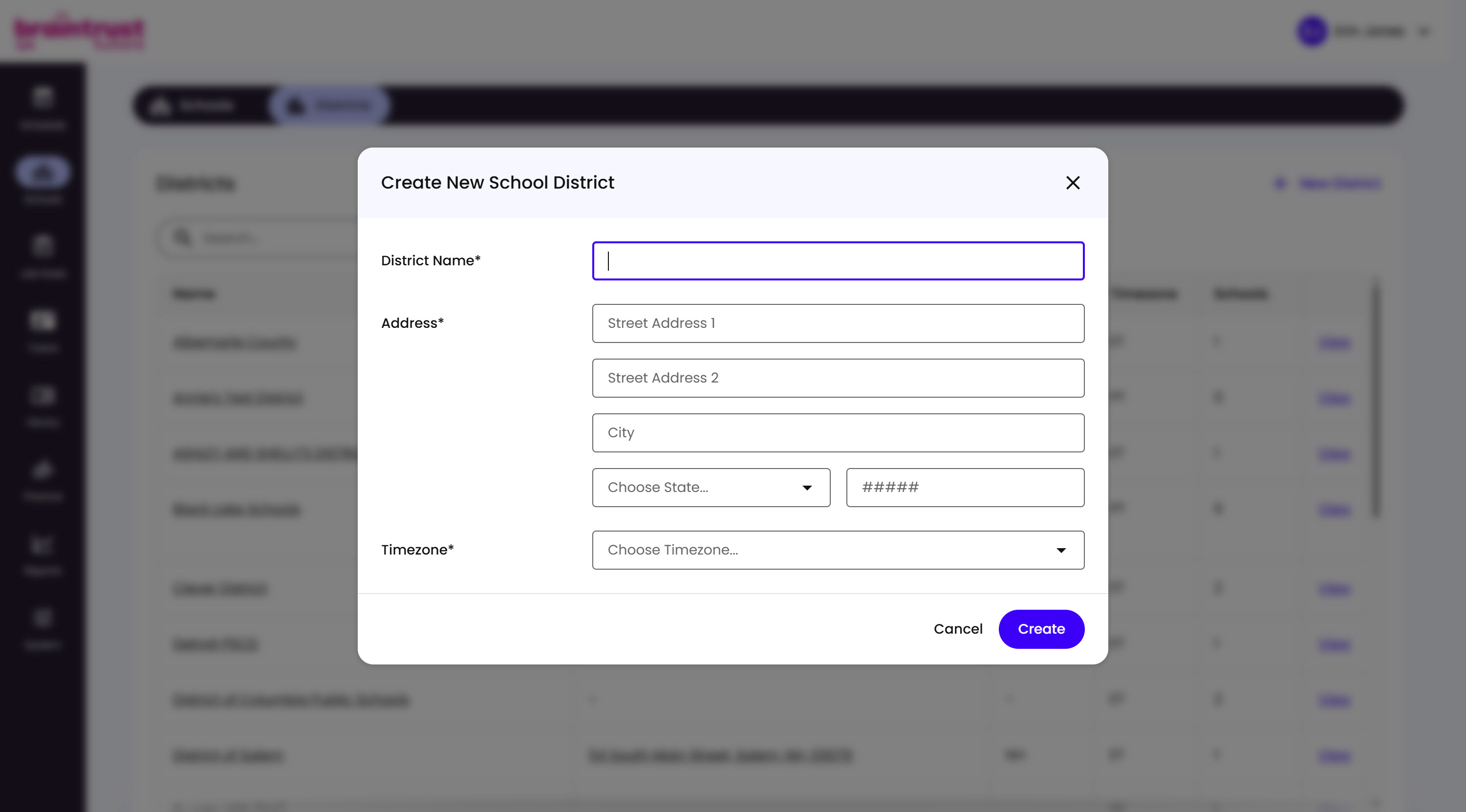
Districts also have their own standalone creation flow, separate from the quick ”+ Add new…” shortcut inside School creation. Go to Schools in the main nav, switch to the Districts tab, then click + New District at the top right.
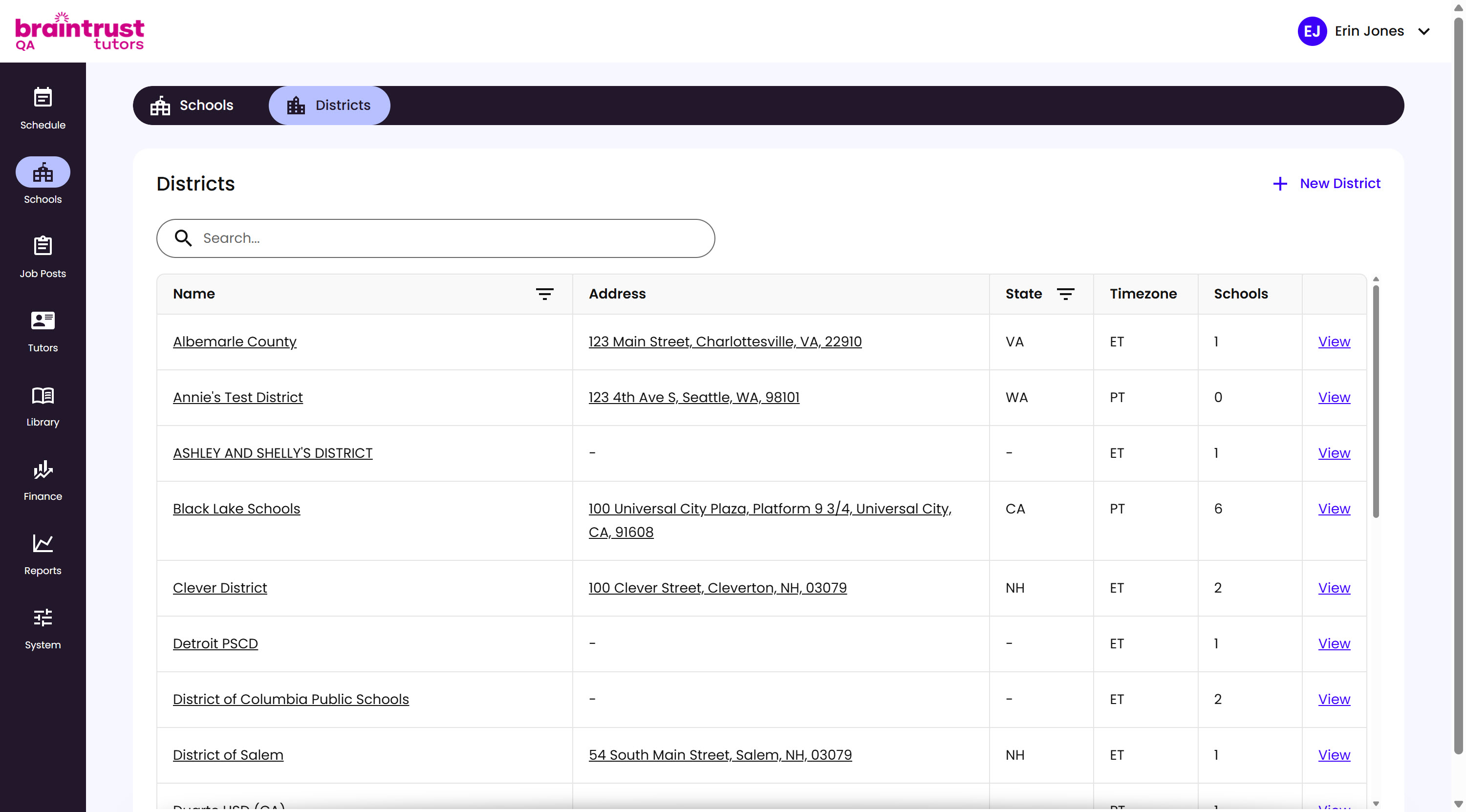
What’s on This Screen
- Schools and Districts tabs, at the top, for switching between the two lists.
- Search bar, for finding a District by name.
- Name, linking to the District’s own page.
- Address, State, and Timezone, the District’s location.
- Schools, a count of how many Schools belong to this District.
- View, opens the District’s own page.
- New District, opens the Create New School District modal.
This opens the same Create New School District modal as the ”+ Add new…” shortcut from School creation - see Creating the School for the field breakdown.