
Once a Job Post exists, whether it’s still a Draft or already published, you can go back and change its details at any time from its Details tab: open the post, go to its Details tab, and click Edit next to Job Post Details.
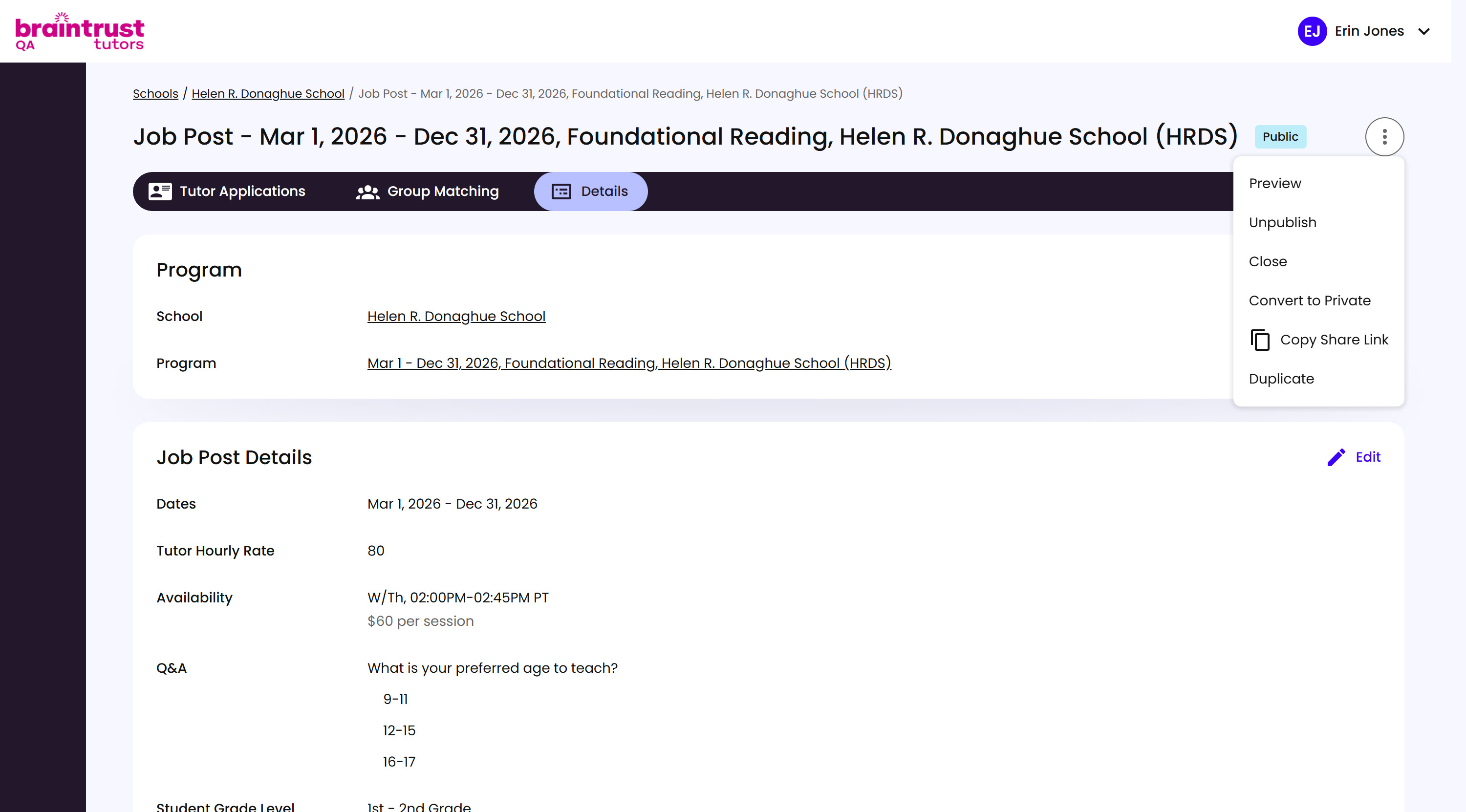
What’s on This Screen
- Job Post Details, the same fields you filled in when creating the post.
- Edit, a link next to the Job Post Details heading that reopens those fields for changes.
Update whatever needs to change, then click Finish Editing to save.
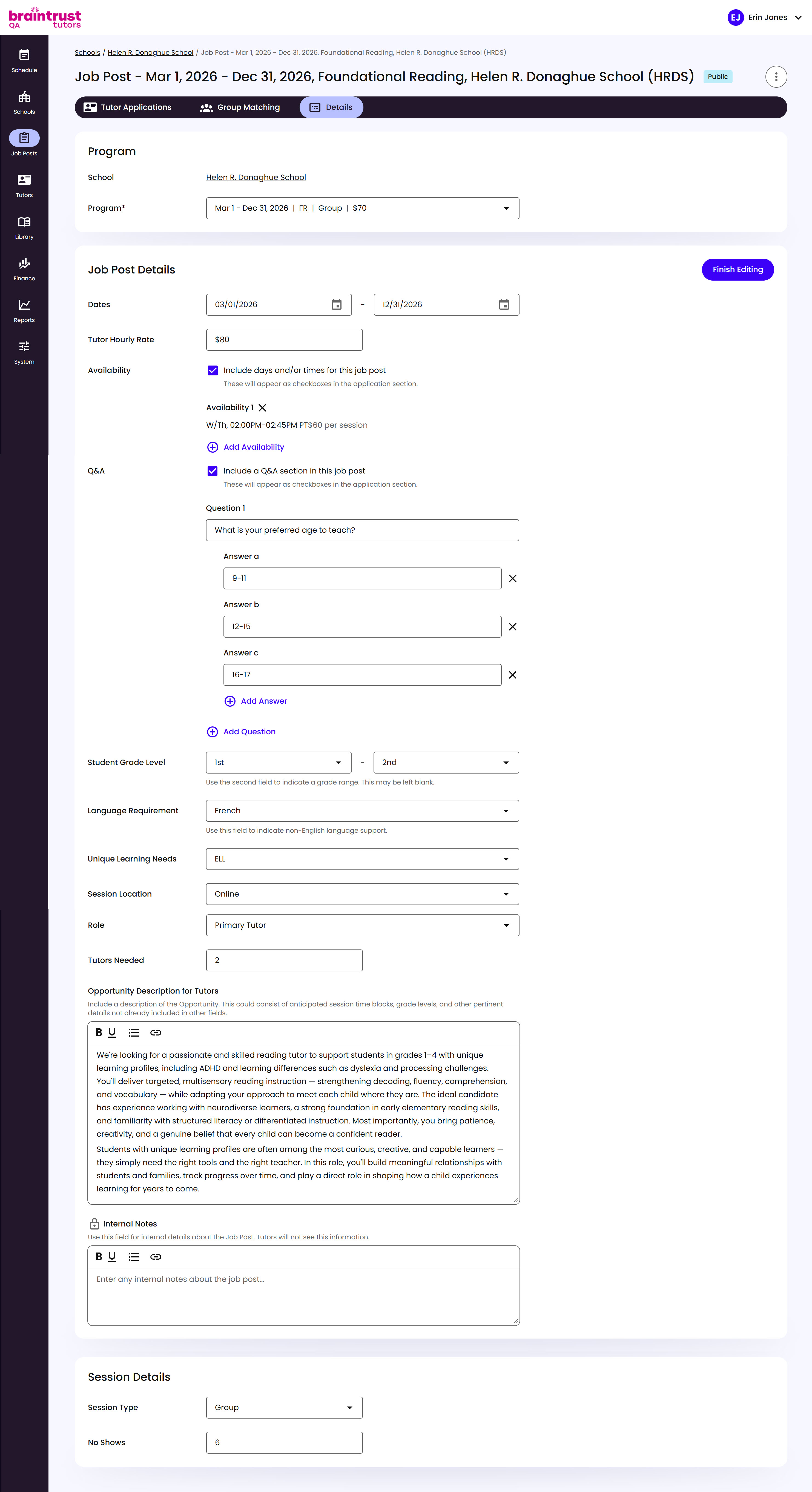
What’s on This Screen
- Finish Editing, a button that replaces Edit once you’re in edit mode, at the top right of Job Post Details.
- Job Post Details and Session Details fields, the same fields from when you first created the post, now open for changes.