
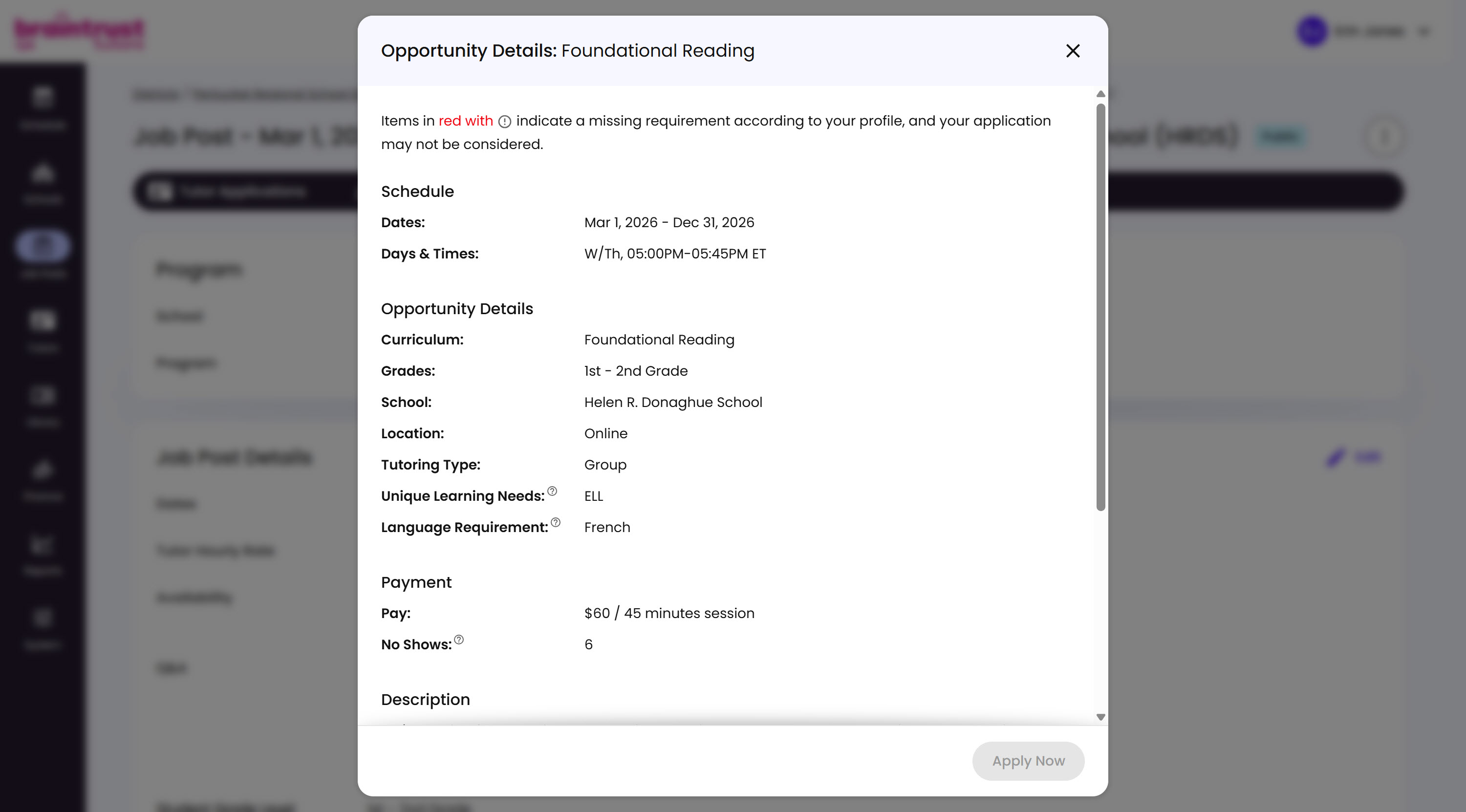
Choosing Preview from the options menu opens the Job Post the same way an applying Tutor would see it, so you can check it over before publishing, or any time after.
What’s on This Screen
- Requirement warning, noting that anything shown in red with a warning icon is a requirement the applying Tutor’s own profile doesn’t meet, which could keep their application from being considered.
- Schedule, the post’s Dates and Days & Times.
- Opportunity Details, the Curriculum, Grades, School, Location, Tutoring Type, Unique Learning Needs, and Language Requirement.
- Payment, the Pay rate and No Shows allowed.
- Description, further down, showing the Opportunity Description for Tutors.
- Apply Now, grayed out here since you’re only previewing, not actually applying.